
If you would like to learn how to use IPTV, this article is for you. The Yourflix4K team will guide you through the key information you need to get started, understand the basics, and use IPTV more easily on your devices. Keep reading to discover the most important details and useful guidance.
What is IPTV?
IPTV is a live tv service that lets many users stream live and on-demand content via the internet without the need for traditional cable or satellite. To watch IPTV, you usually install an iptv app on a smart tv, Android phone, tablet, set-top box, or streaming device, then enter a subscription, playlist, url, or login information from an iptv provider. Good iptv players offer flexibility, favourite channels, catch-up, and VOD.
What You Need to Use IPTV :
• A stable internet connection is essential for smooth streaming and fewer interruptions during use.
• Good wi-fi or a stronger home network setup helps content load more reliably on your device.
• A reliable server from your provider is important for better stability and improved viewing quality.
• You may need to configure the app correctly before you can access channels and on-demand content.
• A simple interface makes it easier to navigate through categories, settings, and available features.
• It is also important to understand the legality of the service you choose before using it.
• Regular app updates can fix bugs, improve performance, and sometimes upgrade the overall user experience.
• One of the drawbacks of using iptv is that poor internet or weak servers can affect playback quality.
Best IPTV Apps to Use
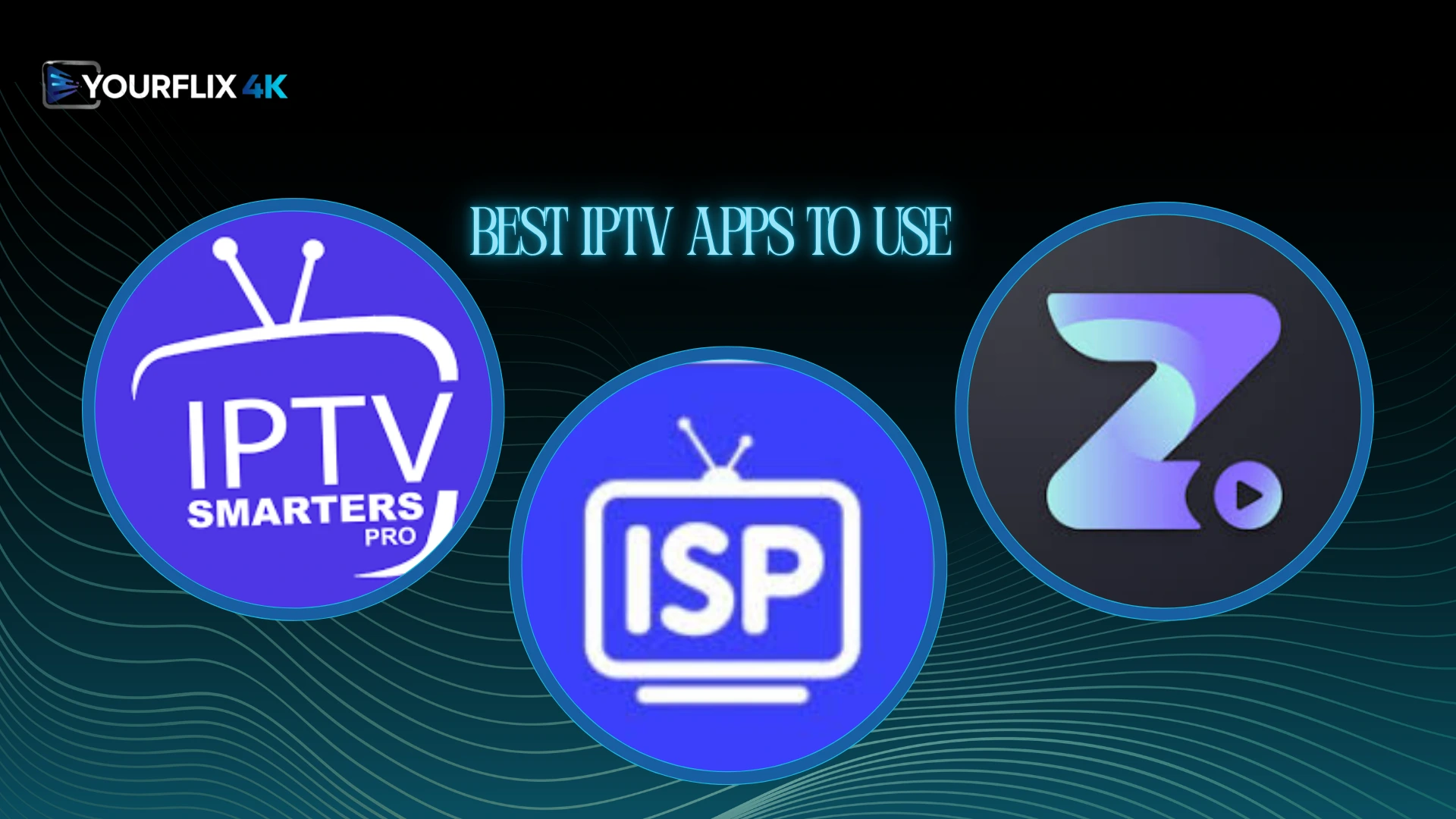
IPTV Smarters Pro :
IPTV Smarters Pro is one of the most widely used apps across devices, thanks to its high-quality streaming and broad system compatibility. It allows users to watch live TV and on-demand content through login details or an M3U file, while offering channel organisation by country, favourites, multi-screen viewing, and playback controls. It is important to note that the app does not include any built-in channels or playlists.
Zen iptv player :
Zen IPTV Player stands out for its many features, making it one of the most widely used applications. It presents IPTV content in a polished interface and supports live TV, replay, films, and series with 4K, HDR, and Dolby Vision. The app also includes Picture-in-Picture, favourites, profile viewing, match statistics, and multi-device access. It does not provide any built-in content or channels.
IPTV Stream player :
IPTV Stream Player is one of the applications widely used by IPTV users, offering a practical interface and several useful features. It supports major video formats, 4K content, subtitles, dual audio, global search, favourites, parental control, hidden content options, multiple language support, and speed testing. It is also important to note that the app works only as a player and does not include any built-in TV channels or media content.
How to Install an IPTV App
Android :
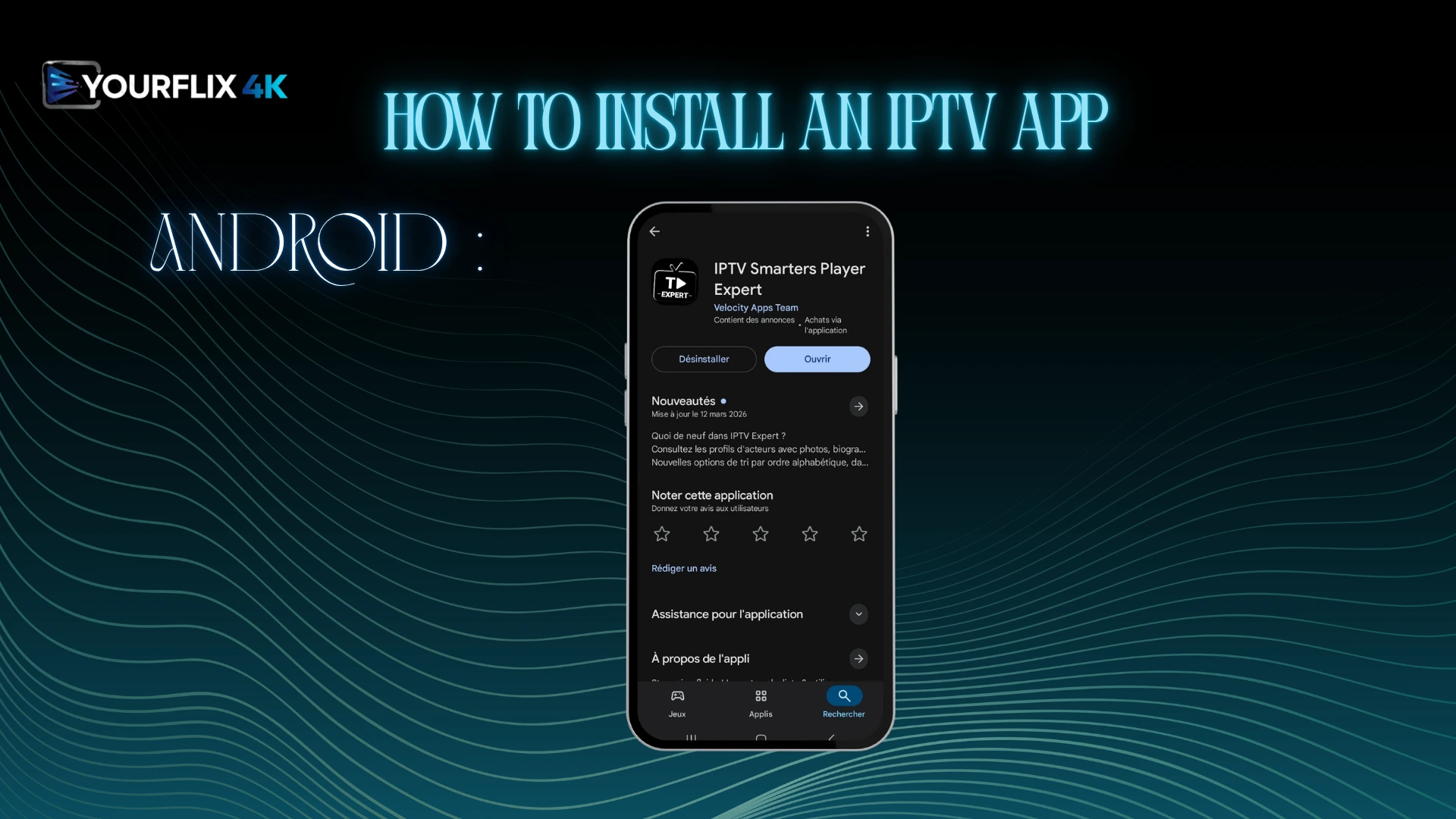
On Android, we will first download an IPTV application that is compatible with the device, for example, IPTV Smarters Player Expert from Google Play.
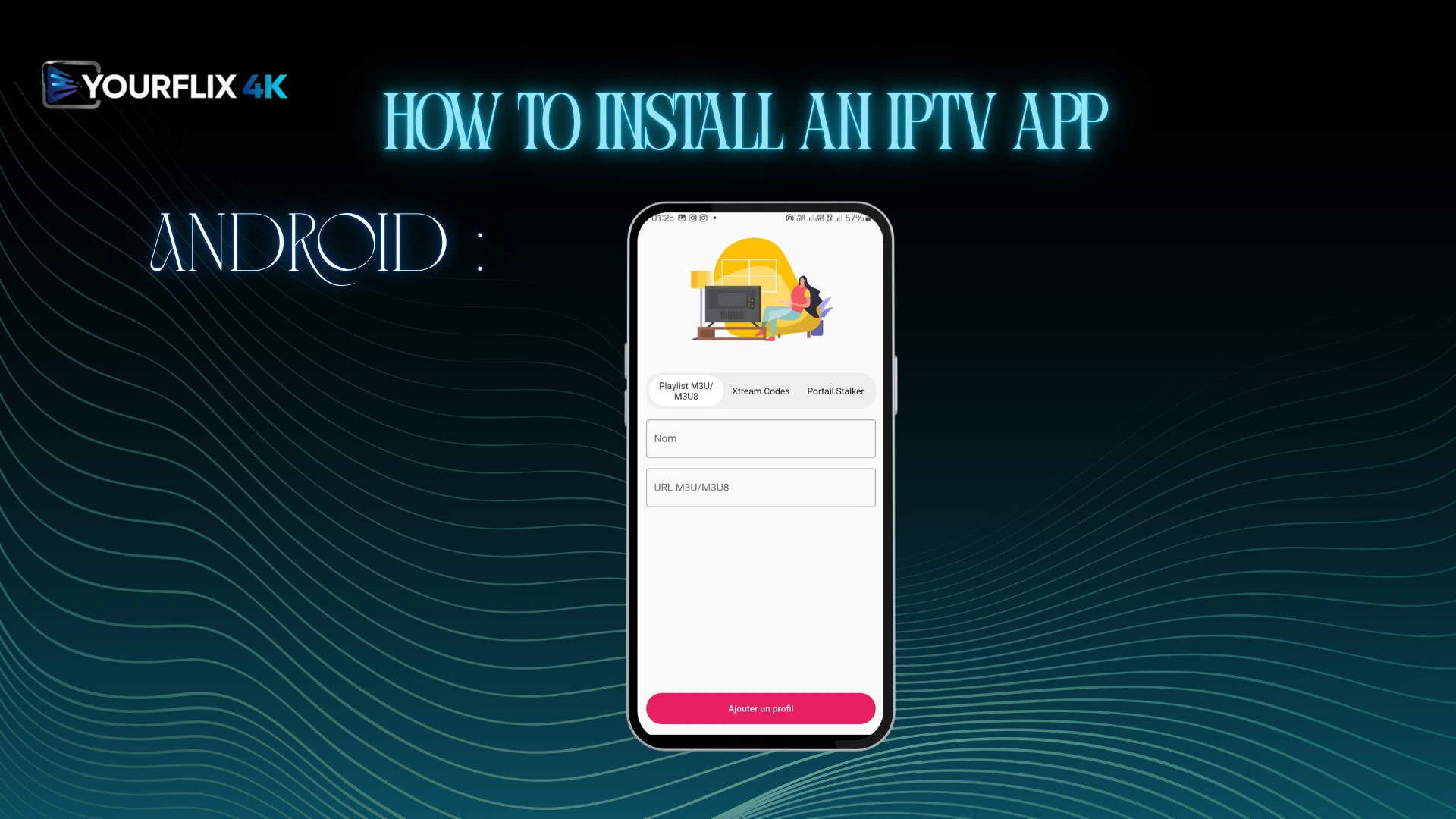
After downloading it, open the app and you will see three formats for adding a playlist: M3U, Xtream Codes, and Portal Stalker. We will choose the format that suits us best. For example, if we choose M3U, we will enter a playlist name and paste the server URL provided by the supplier.
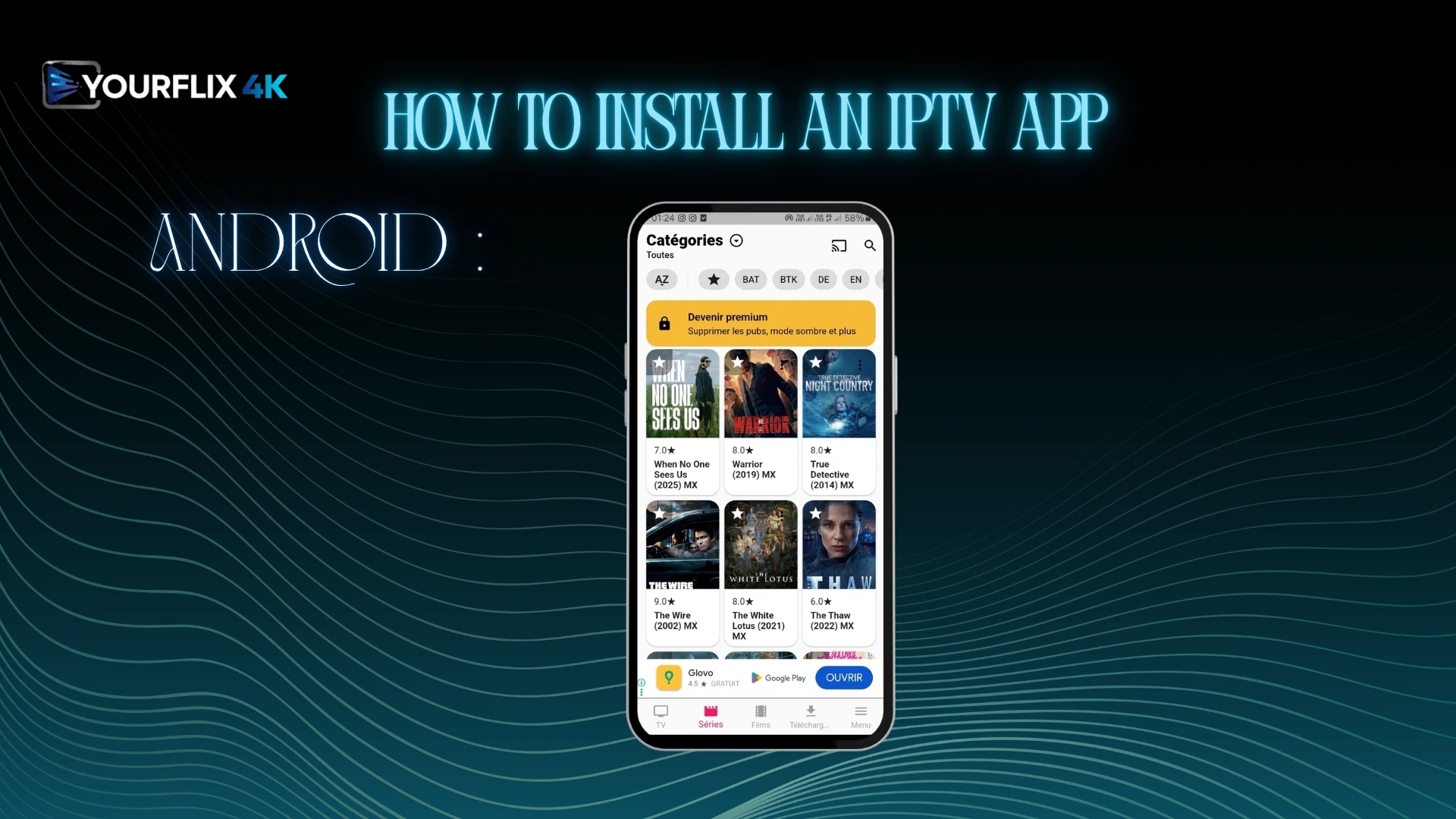
After that, we will load the playlist and wait a short time for the content to appear in the app. Once it has loaded, you can start watching.
iOS :
To know how to use IPTV on your devices, we will first download an application that matches your system.
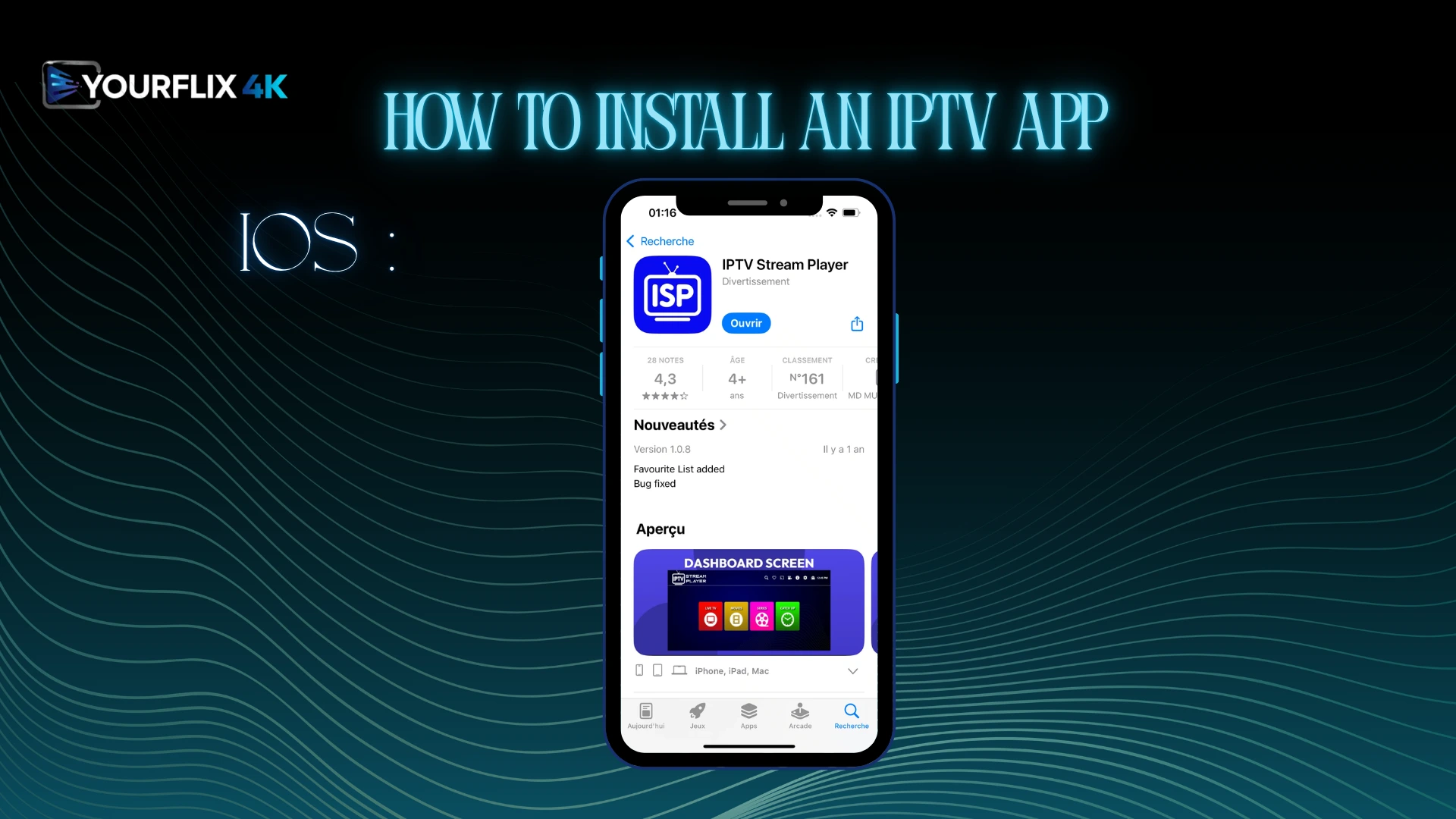
For iOS, for example, we can download an app such as IPTV Stream Player from the App Store.
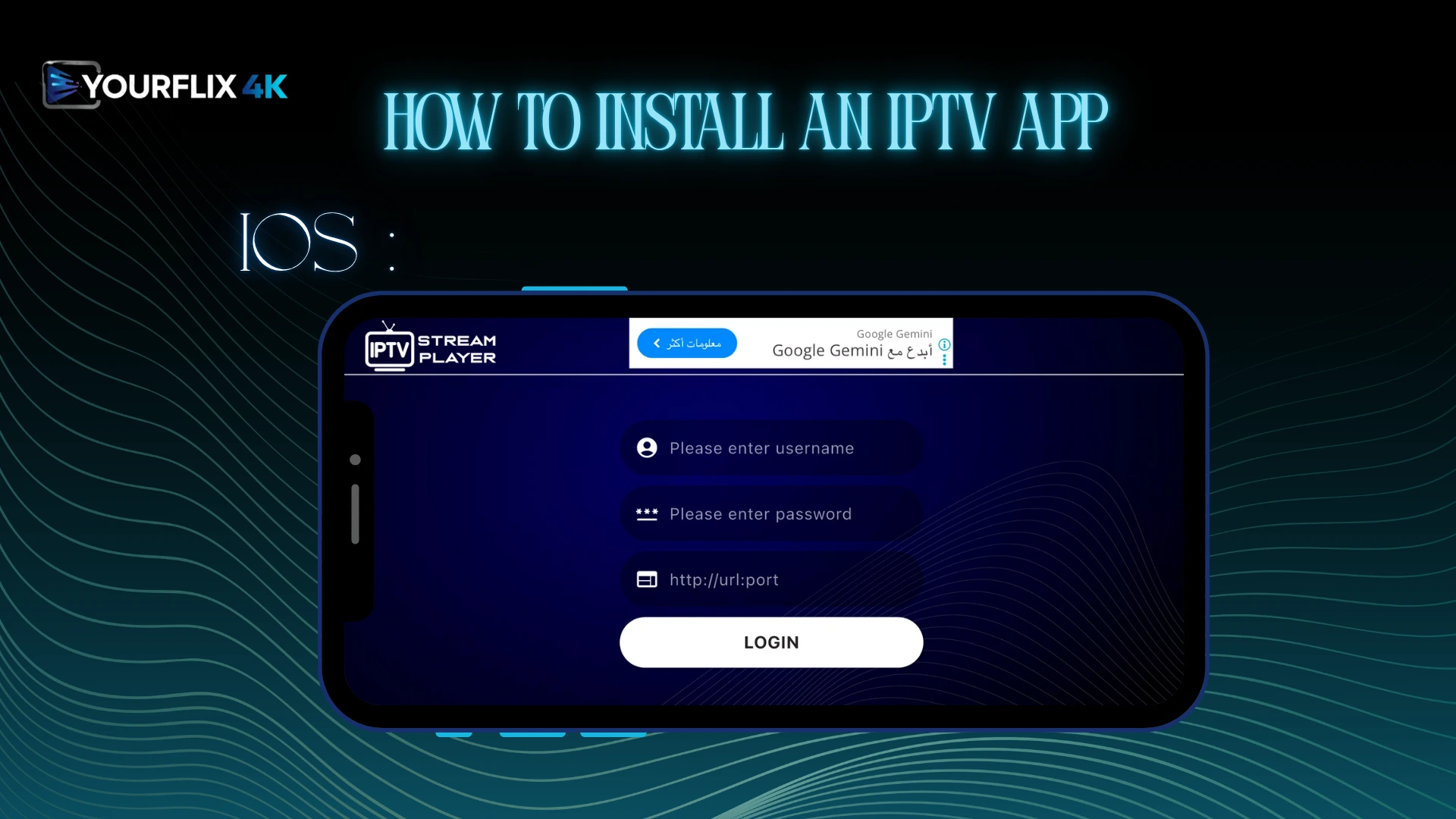
After downloading the application, open it, and on the main screen the app will directly ask you to enter your username, password, and server URL.
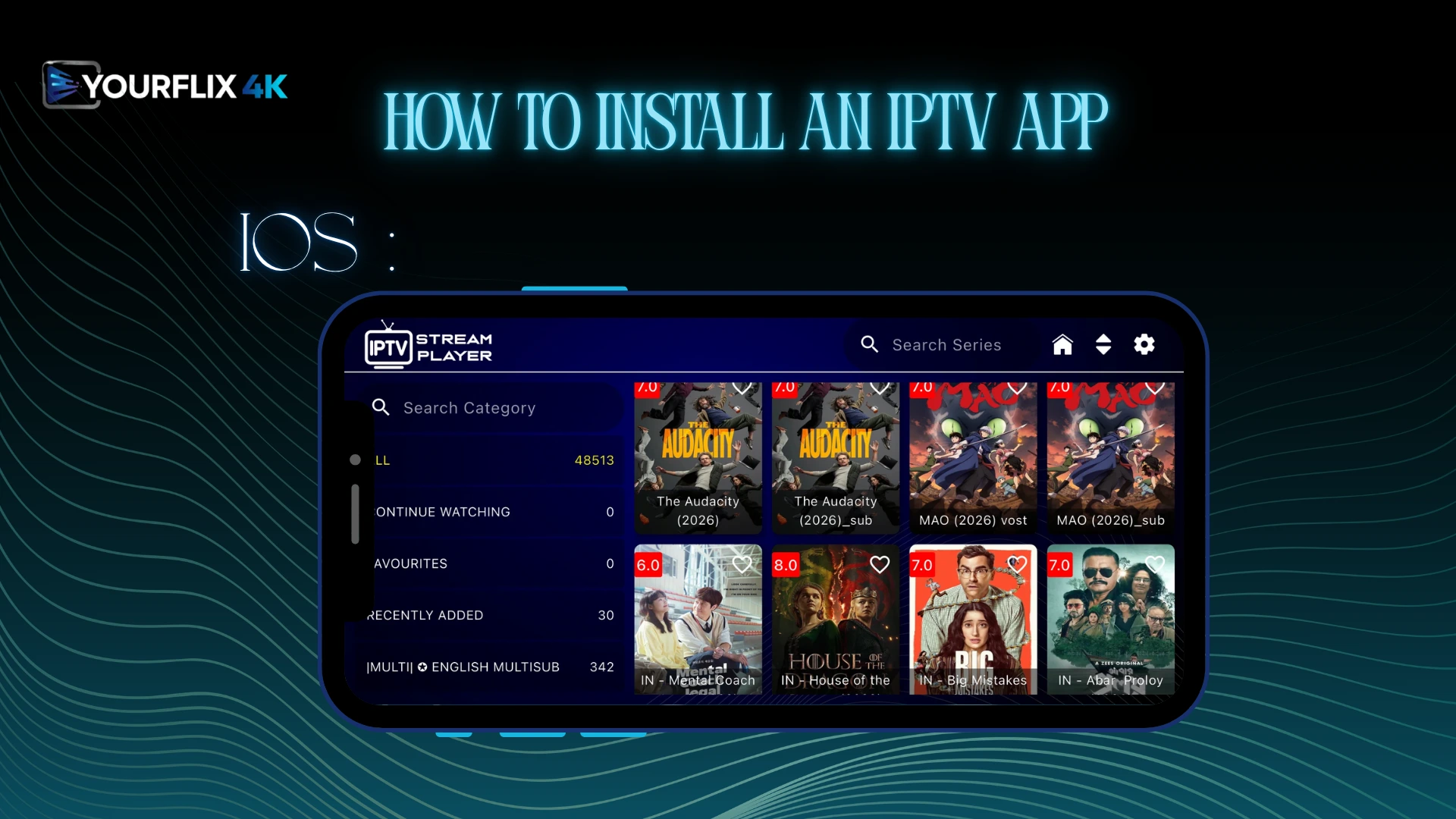
Once these details have been entered, you can add your playlist. After that, wait a short moment while the content loads inside the app. You will then find your channels and programmes ready to watch.
Tips for Better IPTV Experience :
• Choose an iptv service known for stable performance and a user-friendly interface.
• During setting up an iptv app, follow each instruction carefully to avoid errors later.
• Check that the app is compatible with your device and supports the format you need, such as m3u.
• Some users prefer popular iptv services because they usually offer a wide range of options and better support.
• Use a vpn to protect your privacy, especially when using public networks or testing an unverified source.
• A high-bandwidth connection helps reduce buffer problems and improves video quality.
• Pick a platform that matches your preference and includes features like catch-up or favourites.
• Keep the app updated when the developer releases fixes or improvements.
• Always review the services available before subscribing, so you do not pay for content without real value.
What You Should Know About the Legality of IPTV :
• IPTV technology itself is not illegal, but legality depends on whether the content is distributed with proper rights and authorisation.
• Some services are usually cheaper, but low prices alone should not be seen as proof of legitimacy.
• Users should avoid outdate or unclear sources and check whether the provider explains its service properly.
• Technical elements such as hardware, encryption, wire access, or tools that show you how to get content do not decide legality on their own.
• The key point is the legal right to distribute the content, not just the method used to optimize delivery or switch devices.
Conclusion :
In this article, the Yourflix4K team has tried to provide all the information you may need for your IPTV experience. We have provided a comprehensive guide to using IPTV via an app on both iOS and Android, along with a range of useful details. We hope you have found it helpful, and do not forget to share your opinions and comments below.
FAQs
Do IPTV apps include channels?
No. Most IPTV apps do not include iptv channels by default. They mainly work as players that read external playlists or account details provided by a service. Before using one, always verify what is included, because some apps only offer the interface, while the actual content comes from another source available online.
Is IPTV easy to set up?
Yes, in many cases, it is simple to set up iptv if you follow the right steps. A clear iptv setup guide can make the installation easier, from download to first launch. Some devices may ask you to install the downloader app first. Keeping the app up to date also helps.
Do I need an M3U link or login details?
Yes, most services require either an M3U link or login details to connect properly. These details are usually provided by the provider after registration. Your ISP, router, or even changing IP address settings can sometimes affect access. For troubleshooting, start by restarting your router and checking whether the service information is correct.